$ ice-commander
Dual-pane. Native. Everywhere you work.
A keyboard-first file manager with a real terminal, archives that open like folders, and FTP, SFTP or WebDAV mounted straight into either panel.
Try the online demo of the application right from this page, right now:
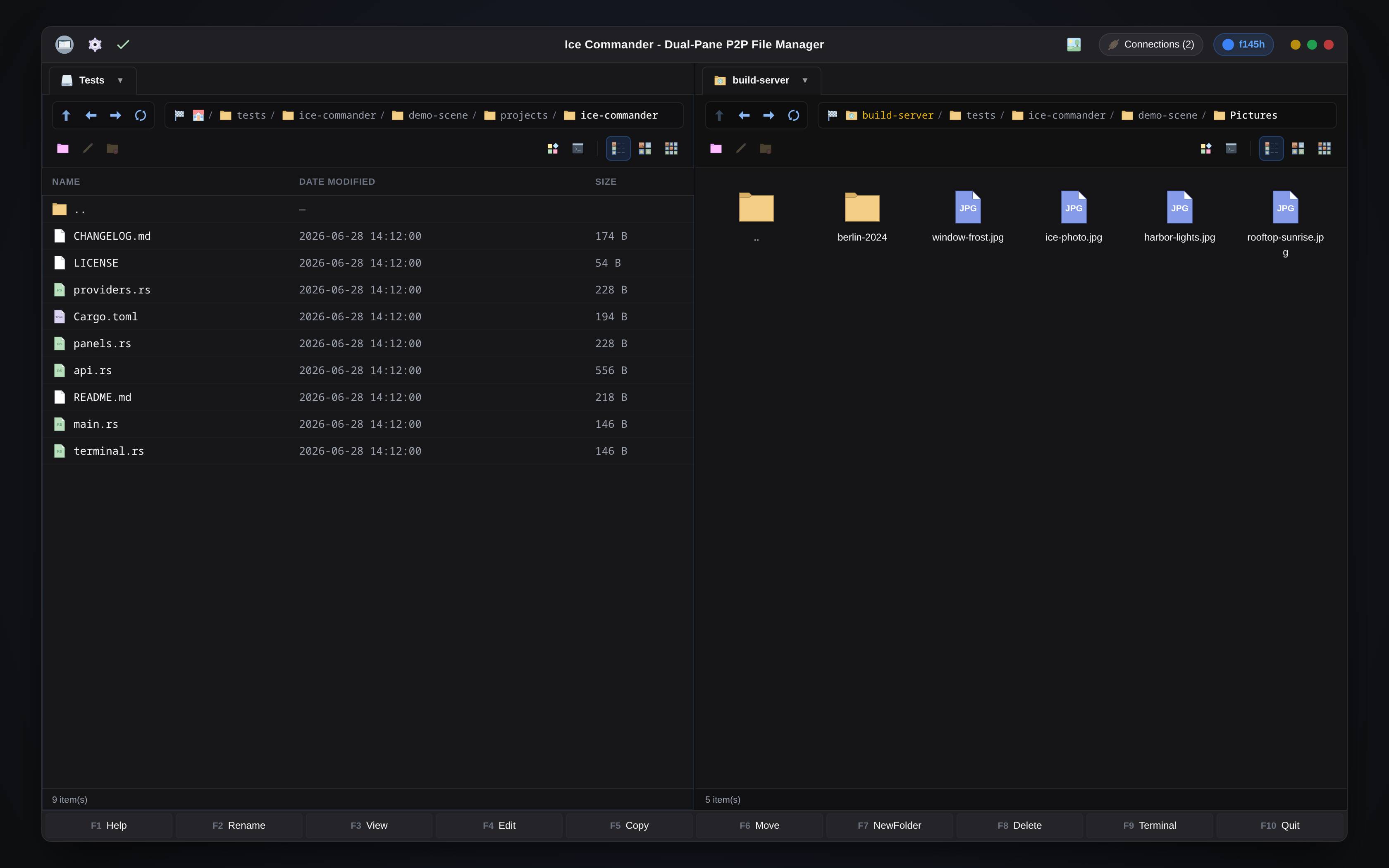
// loads the interactive sandbox — nothing is downloaded until you click
// this is the real web interface on an in-browser sandbox — press F3 on ice-photo.jpg or intro.mp4 · enter photos.tar.gz like a folder · copy with F5 · open the terminal · connect to the demo FTP. resets on reload
Two panels. Zero friction.
Everything a commander-style file manager should be — rebuilt native, fast, and keyboard-first.

Dual-Pane Command Center
A native high-performance dual-pane file manager. Supports classic keyboard layout (F5 Copy, F6 Move, F7 Folder, F8 Delete), drive mounts via DriveToolbar, and multiselect operations.

Symmetric Network Clients
Full connection manager integration. The FTP, SFTP and WebDAV plugins put servers in a panel alongside local directories. All sources look and feel identical.

Zero-Temp Archive Stack
The archives plugin opens nested zip, tar, tgz and tar.gz archives as virtual folders. Copy straight from an archive to a remote server without temp files.

Multimedia Plugins
Pictures, PDF, music and video viewers as plugins — camera RAW previews, playlists, and one mpv-based video player, the same on Linux, macOS and Windows. Native thumbnails in the panels.

Context-Aware Terminal
Embedded PTY terminal emulator for every panel. Automatically tracks your active directory path (CWD) and opens SSH console sessions for remote SFTP connections.

Panels in the Browser
A built-in HTTP server serves the same two panels to a browser. A separate headless binary runs the whole thing without GTK — useful on a machine with no desktop session.
Install what you need.
Connections, archives, viewers and tools are plugins. Pick them in the setup wizard or in Settings → Plugins — each one downloads with everything it needs and keeps itself up to date.
Open source, all of it.
The application, the plugin API, the SDK and every plugin are on GitHub under MIT OR Apache-2.0 — read the code, build it yourself, write a plugin, or fork it.
The application: panels, copy engine, viewer, terminal, web interface.
The boundary between the application and its plugins — a C header and a Rust crate.
Small worked examples to start a plugin of your own from.
One repository per plugin — FTP, SFTP, WebDAV, archives, video and the rest.
One core. Three ways to run it.
The same GTK-free core powers every edition — a native desktop app, a terminal TUI, and a headless web server you open in a browser. Pick whichever fits how you work.


Desktop app
The native GTK4 dual-pane manager — the full graphical experience on Linux, macOS and Windows.
native
Console app
A complete dual-pane TUI right in your terminal, à la Midnight Commander — for people who live in the shell.
terminalWeb server
Run it headless and drive it from any browser — same panels, the browser is the client. Still native Rust, no Electron.
browserOne panel local. One panel anywhere.
Remote sources mount straight into a panel and behave like local folders — same keys, same dialogs, favorites included.
Native code on every desk.
Rust + GTK4. One codebase, three platforms, no embedded browser pretending to be an app.
Linux
64-bit deb, rpm and zst packages — Debian-based, Fedora and Arch-based systems.
primary platformmacOS
Apple Silicon only — a native arm64 build.
supportedWindows
64-bit only — Windows 10 and 11.
supported